


IDAGIO Stream Classical Music
3.4198.00 Reviews
App Specs
- Version
- 3.28.0
- Updated On
- License
- Free
- Downloads
- 500,000+
- Developer
- Classical Music Streaming - IDAGIO
- Categories
- Music & Audio
- Platform
- Android
Screenshots
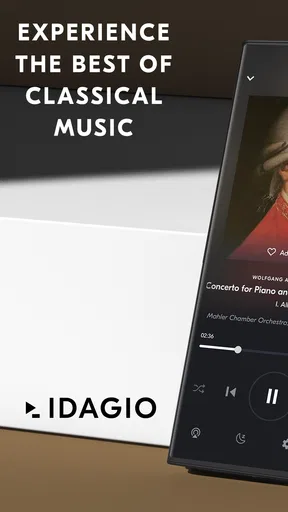
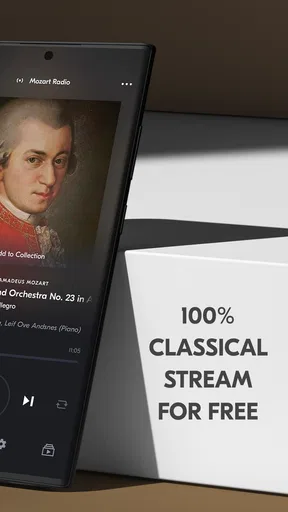
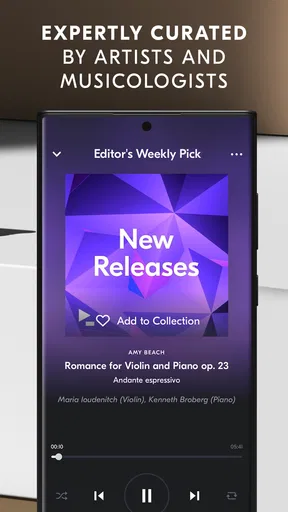
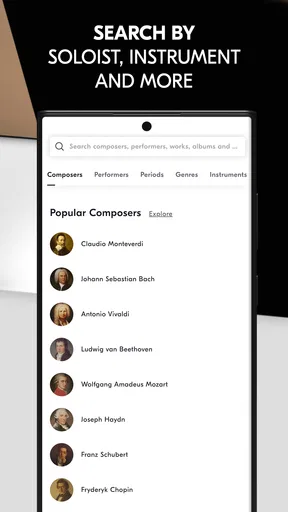
 Analysis by AppCompare
In a shared home, music apps often become part of the daily routine: one person wants a piano concerto while someone else is cooking, reading, or looking for something calm to play in the background. I found IDAGIO most useful when the listener already has a classical direction in mind, but still wants room to wander among composers and performances. Its focus makes it feel different from a broad music service, though that same focus means it is not the obvious choice for every household member.
One classical library, several listening habits
A useful way to approach a shared music app is to decide what each person expects from it. Someone who listens closely may want to seek out a particular work and compare interpretations; another person may simply want a playlist that suits dinner or a quiet evening. IDAGIO can serve both habits, but it rewards a little curiosity: searching by composer, work, conductor, or soloist gives the listener more control than tapping a familiar artist name and accepting an all-purpose mix.
For example, I can imagine a household using it in two distinct ways on the same day: one person chooses a playlist while making breakfast, then another searches for a specific performance after work. The practical advantage is that a shared speaker or device can provide music for both situations without turning the app into a general-purpose catalog. The trade-off is equally clear: anyone hoping to jump from a symphony to current pop, podcasts, or a wide spread of unrelated genres will probably prefer a broader streaming service.
Set expectations before handing over the device
On a shared phone or tablet, I would make a simple agreement about whose listening session is active before someone starts browsing. Search choices and playback decisions are personal, and a person looking for a particular recording may not want another listener to replace it with a background playlist. That is not a special household feature; it is just a sensible way to avoid the familiar “who changed the music?” moment when one device serves several people.
I would also treat downloads and playlists as deliberate choices rather than assuming that every listener will use the app in the same way. A commuter might prepare music for a trip, while someone else may prefer to explore only when connected. If you are setting it up for another person, show them how to find works and performers first; that small bit of orientation is more helpful than simply passing over a screen full of classical titles.
Coordination matters more than complicated setup
For a household, the main coordination question is not how to build an elaborate music system but how to keep listening plans from colliding. Agreeing on a shared playlist for a meal or a quiet hour can be easier than trying to preserve every person’s separate preferences in one session. Custom playlists are useful here because they let someone collect a mood or occasion without needing to search from scratch each time.
There is a small but worthwhile listening habit for people who enjoy comparing recordings: save the work you are exploring, then return to it with a different performer or conductor in mind. Classical pieces often exist in several interpretations, and treating those as distinct listening choices makes the catalog more rewarding than using the app only as a source of continuous background sound. It is also a better fit for a focused listener than asking a general playlist to guess what “more classical” should mean.
Worth Reading Before You Choose

Flipboard Shows What News Apps Must Do Beyond the Feed

Switching to Android Auto Means Rethinking Your Driving Routine

Google Calendar Makes a Crowded Week Easier to Manage

Ludo King Makes the Most of the Minutes Between Plans

Baby Panda World Brings Quick Play to Modern Phones, but Its Game Library Feels Busy

ESPN’s Live Game View Makes Following Close Games Easier
Age context and trust in a family setting
The app is rated for Everyone, so its stated age category makes it a reasonable option to consider for listeners of different ages. That does not make every shared-device arrangement identical: adults may still want to decide what gets played in common spaces, and younger listeners may appreciate help learning the difference between a composer, a work, and a recording. I would treat the age rating as a useful starting point, not a substitute for a household’s own listening expectations.
For a family member who is new to classical music, playlists can offer an easier entry than a blank search box. For someone who already knows what they want, the more specific search routes are the stronger tool. I would show both approaches rather than assuming that every listener will find the same kind of navigation natural.
Who will appreciate this particular focus?
IDAGIO is a strong fit for people who want classical music to be the center of their listening rather than a small corner of a much larger catalog. It especially suits listeners who care about performers and interpretations, people building occasion-based playlists, and anyone who wants to browse from a composer or work instead of relying only on familiar artist names. The app comes from Classical Music Streaming - IDAGIO, and its dedicated approach is the main reason to choose it.
I would skip it as a household’s only music app if everyone expects one place for every genre and audio format. A broad service is more convenient when tastes vary widely or when classical is only an occasional choice. IDAGIO makes more sense as the focused option for the person who returns to orchestral, chamber, vocal, or solo works often enough to value a dedicated way of finding them.
For a listener deciding whether to try it, the basic practical questions are straightforward. It is a free app, with in-app purchases ranging from $0.99 to $199.99 per item, so I would check the purchase details shown in the app before committing to anything. It has a 3.6 average from around 3.8 thousand ratings, and more than 500 thousand installs. Those figures offer context, but they cannot tell you whether its classical-first approach matches your taste; trying the free app is the more useful test.
All About That Classical Focus
Unlike other music streaming services that give you a little bit of everything, IDAGIO is laser-focused on one thing: classical music. From Beethoven to Bernstein, the app covers a wide range of composers, performers, and ensembles. It's like having a personal classical music library right in your pocket.
One of the first things I noticed about the app is how well-organized it is. You can search by composer, work, conductor, or even soloist. This makes it super easy to find exactly what you're in the mood for. Plus, there's a curated section with playlists that are perfect for discovering new pieces or revisiting old favorites.
High-Quality Streaming
Quality is everything when it comes to classical music, and IDAGIO doesn't disappoint. The app offers lossless audio, which is a treat for your ears. If you're an audiophile, you'll appreciate the crisp, clear sound that brings every note to life.
I've listened to a variety of recordings on the app, and the audio quality is consistently top-notch. Whether it's the subtle nuances of a string quartet or the powerful crescendos of a full orchestra, every performance is delivered with impeccable clarity.
Discover New and Old Favorites
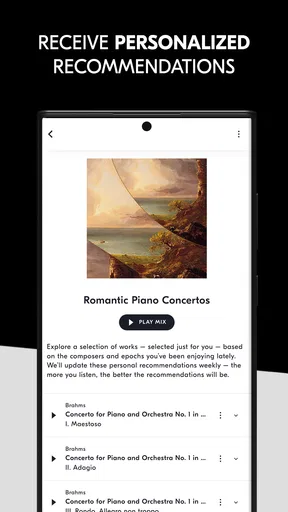
One of my favorite features is the "Discover" section. It's like having a personal music concierge who knows exactly what you like. The recommendations are spot on, and I've found several new composers and pieces that I wouldn't have stumbled across otherwise.
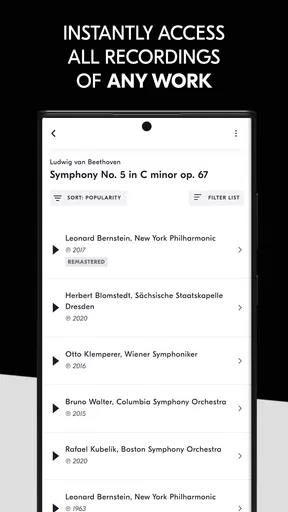
If you're someone who loves exploring different interpretations of the same work, you're in luck. IDAGIO offers multiple recordings of the same pieces, so you can compare different performances and find the one that resonates with you.
Offline Listening and Custom Playlists
Another great feature is the ability to download music for offline listening. This is perfect for those long commutes or when you're stuck in a no-WiFi zone. Just download your favorite symphonies or concertos, and you're good to go.
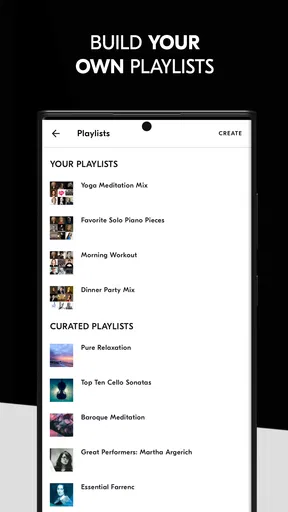
Creating custom playlists is also a breeze. Whether you're putting together a collection for a dinner party or just want to organize your favorite nocturnes, the app makes it easy to compile and manage your own musical collections.
User Experience and Interface
The user interface is sleek and intuitive, which makes navigating the app a pleasure. Everything is where you'd expect it to be, and the design is both modern and elegant, much like the music it features. Even if you're not particularly tech-savvy, you'll find it easy to use.
Choosing it for everyday listening
In practical terms, the app is best when you give it a little direction. If you know a composer or a work, searching directly can be more satisfying than opening a playlist and hoping it matches your mood. If you are undecided, curated selections provide a gentler starting point. I would use those two routes differently: search for focused listening, and playlists for meals, reading, or a first encounter with unfamiliar music.
Offline listening is especially useful when a commute has unreliable reception, but I would prepare downloads before leaving rather than treating the feature as an emergency fix. A long classical work is not always the kind of thing I want to replace halfway through a journey, so choosing a complete piece or a small group of works in advance makes the trip feel more intentional. Downloads also make sense for a quiet room where you want music without depending on a live connection.
Where its advantages come with trade-offs
The classical focus is both its clearest strength and its most important limitation. A broad streaming app may be better for a family that jumps between classical, chart music, spoken audio, and many other styles. IDAGIO is more appealing when the listener values ways to navigate classical recordings, including the option to compare performers of the same work. That distinction matters more than a general claim that one service has “more music”: the better choice depends on whether specialist browsing is part of how you listen.
I would also be cautious about assuming that an advertised audio quality setting will transform every listening setup. Lossless sound is most meaningful when the playback chain and listening environment let you notice fine detail; in a noisy kitchen or through a casual speaker, the convenience of a suitable playlist may matter more. I see the high-quality option as a benefit for attentive listening, not a reason everyone needs to change how they use the app.
The app is free to start, but in-app purchases are available, with listed item prices ranging from $0.99 to $199.99. I would read the purchase screen carefully and decide what is worthwhile for your own listening instead of assuming that every feature or listening arrangement has the same cost. The app’s current version is 3.27.0, and it requires Android 8.0 or later; those details are useful to check before installing on an older device.
A sensible household verdict
For a household, my recommendation is to treat this as a specialist listening choice rather than an all-purpose family jukebox. It works well when one or more people genuinely seek out classical music, when a shared playlist can serve a specific moment, or when someone wants to compare interpretations at their own pace. A family with very different tastes may be happier keeping a broad service for everyday variety and using this app when classical music deserves its own space.
IDAGIO was released on August 16, 2018, and has an average rating of 3.6 from around 3.8 thousand ratings, with more than 500 thousand installs. Those figures suggest it has found an audience, but I would put more weight on whether its search style and catalog focus suit the way you listen. The interface and discovery tools are most valuable when you use them to find a particular kind of performance, not merely as another button for background sound.
Final Thoughts
Overall, IDAGIO is a must-have for any classical music enthusiast. It's like having a world-class concert hall at your fingertips. Whether you're a seasoned connoisseur or just starting to explore the genre, this app is a fantastic resource. With its high-quality audio, extensive library, and user-friendly interface, it truly sets the standard for classical music streaming.
So, if you're ready to dive into the world of classical music, give it a try. You won't be disappointed.
Pros
- Vast library of classical music.
- High-quality audio streaming.
- Curated playlists by experts.
- User-friendly interface.
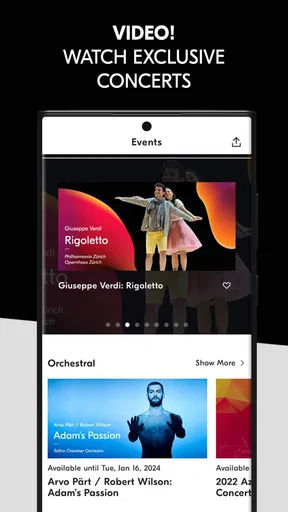
- Exclusive live concert recordings.
Cons
- Limited offline downloads.
- Subscription required for full access.
- No integration with smart speakers.
- Lacks variety in genres beyond classical.
- Ads in free version can be intrusive.
FAQs for IDAGIO Stream Classical Music
What platforms is IDAGIO available on?
IDAGIO is available on both Android and iOS devices, providing a seamless experience for users on smartphones and tablets. Additionally, you can access IDAGIO through their web platform, allowing for flexibility in how and where you choose to listen to your classical music library.
Does IDAGIO offer offline listening?
Yes, IDAGIO allows users to download their favorite tracks and playlists for offline listening. This feature is particularly beneficial for those who want to enjoy classical music on the go without worrying about internet connectivity, making it ideal for travel or areas with poor reception.
What type of music library does IDAGIO offer?
IDAGIO specializes in classical music and boasts an extensive library that includes a wide range of genres, periods, and composers. Users can explore everything from Baroque to contemporary classical music, ensuring that both casual listeners and classical enthusiasts find something to enjoy.
How does IDAGIO's search and discovery feature work?
IDAGIO offers advanced search and discovery tools, allowing users to find music by composer, work, orchestra, soloist, and more. The platform’s curated playlists and recommendations help users discover new pieces and artists based on their listening habits, enhancing the overall user experience.
Is there a cost associated with using IDAGIO?
IDAGIO offers a free version with limited features, but for a more comprehensive experience, users can opt for a premium subscription. The premium version provides high-quality audio, offline listening, and an ad-free experience, making it a worthwhile investment for classical music lovers.


